Dashboard
Bring the toolkit together in a starting point for your work.
From the first overview to the last worklog.
A connected toolkit for the work inside Jira.
See tasks, milestones, phases and dependencies on a shared timeline. Build a plan around your Jira work and follow the relationships that matter.
Discover Project Plans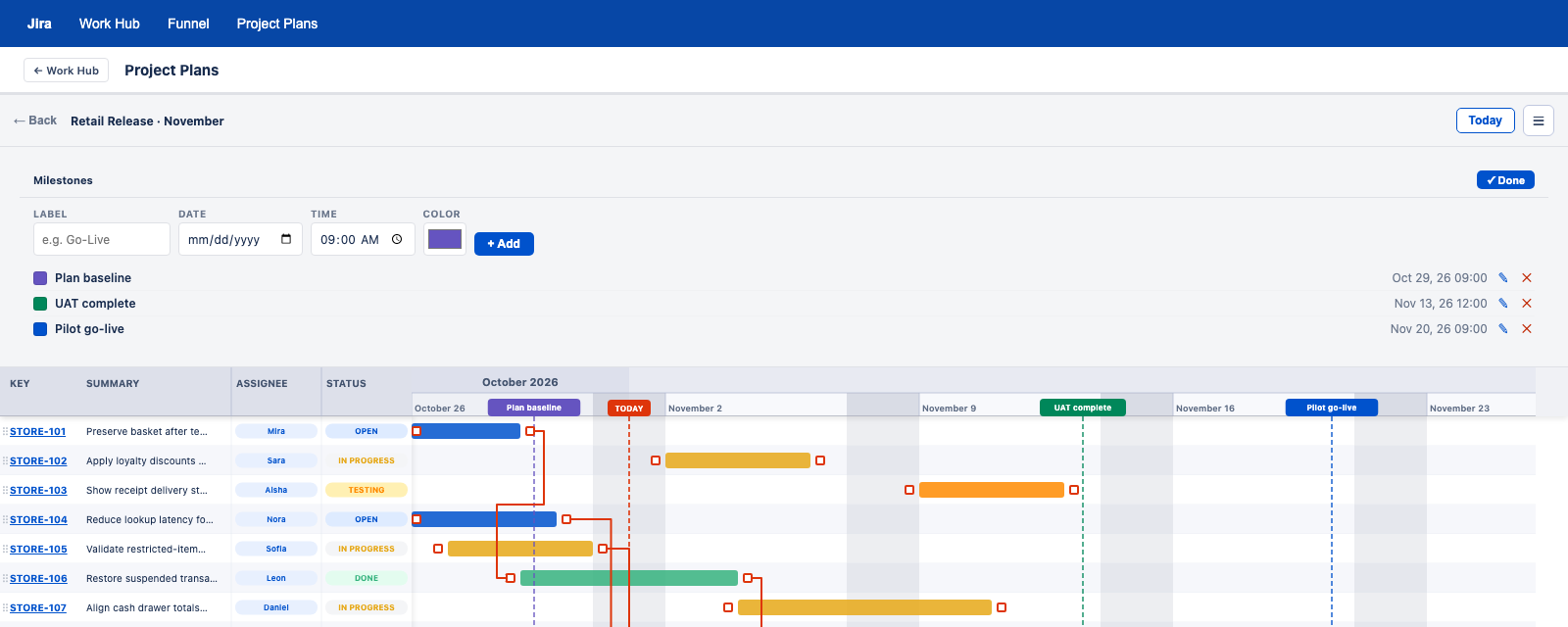
Choose projects, fields and JQL to bring your own workflow into view.
Bring the toolkit together in a starting point for your work.
Compare projects across configurable workflow stages and JQL metrics.
Explore service performance with configurable analytics based on Jira searches.
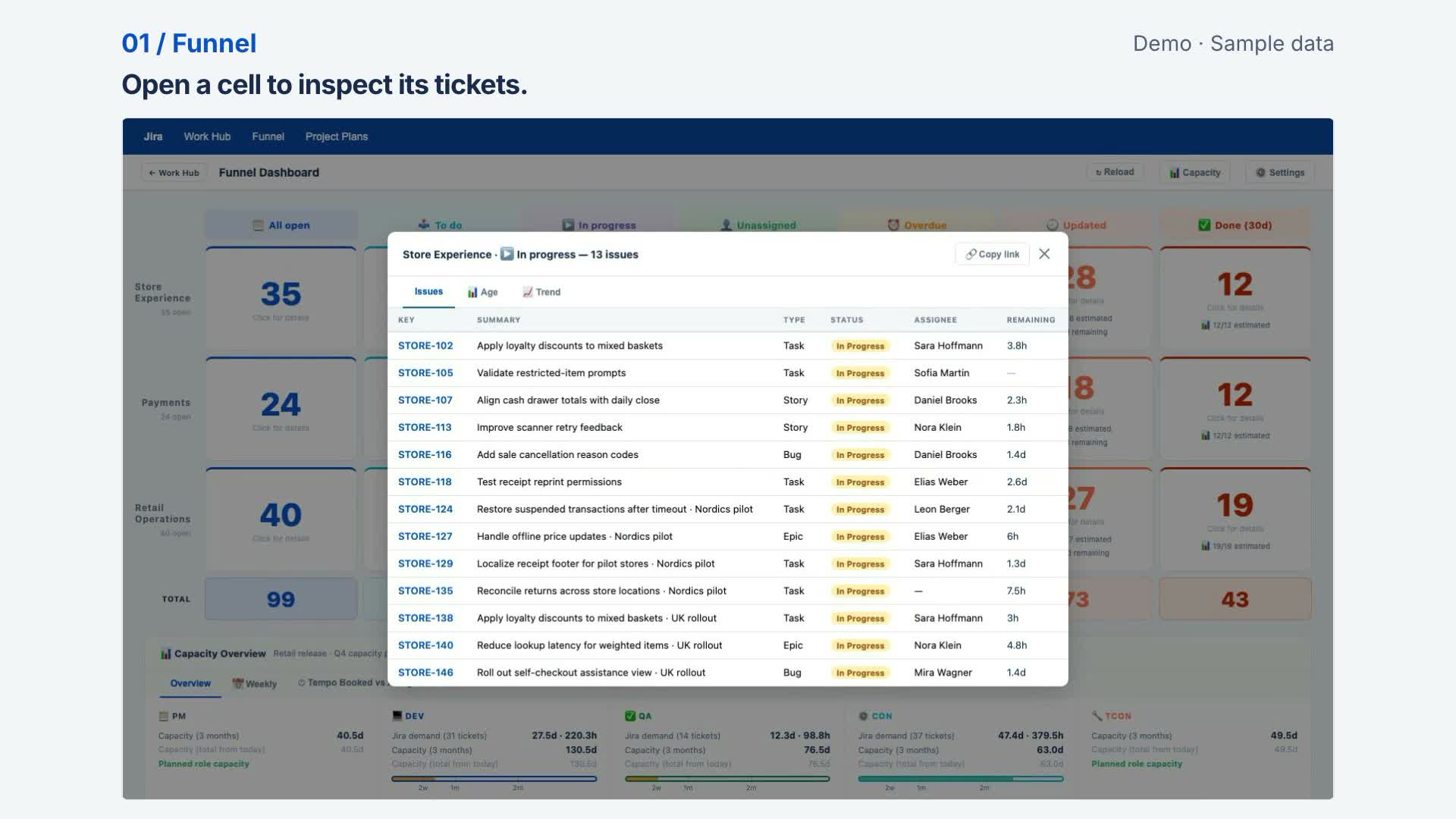
Compare planned capacity across role and skill lanes. Bring in a supported Excel planning export, review Jira or Tempo booking CSV files, and follow capacity trends.
Explore capacity and bookingsThe Data Center implementation combines capacity views, booking imports and Jira worklog synchronization.
Review upcoming capacity and copy a next-week summary for a team conversation.
Cloud stores explicitly synchronized Funnel booking history privately and excludes it from shared solutions.
Use configurable SLA analytics to see service workload. Data Center queue views include issue age, priorities, status, creation trends and completion duration.
Assess probability and impact, review treatment and ownership, and keep open risks visible alongside the work.
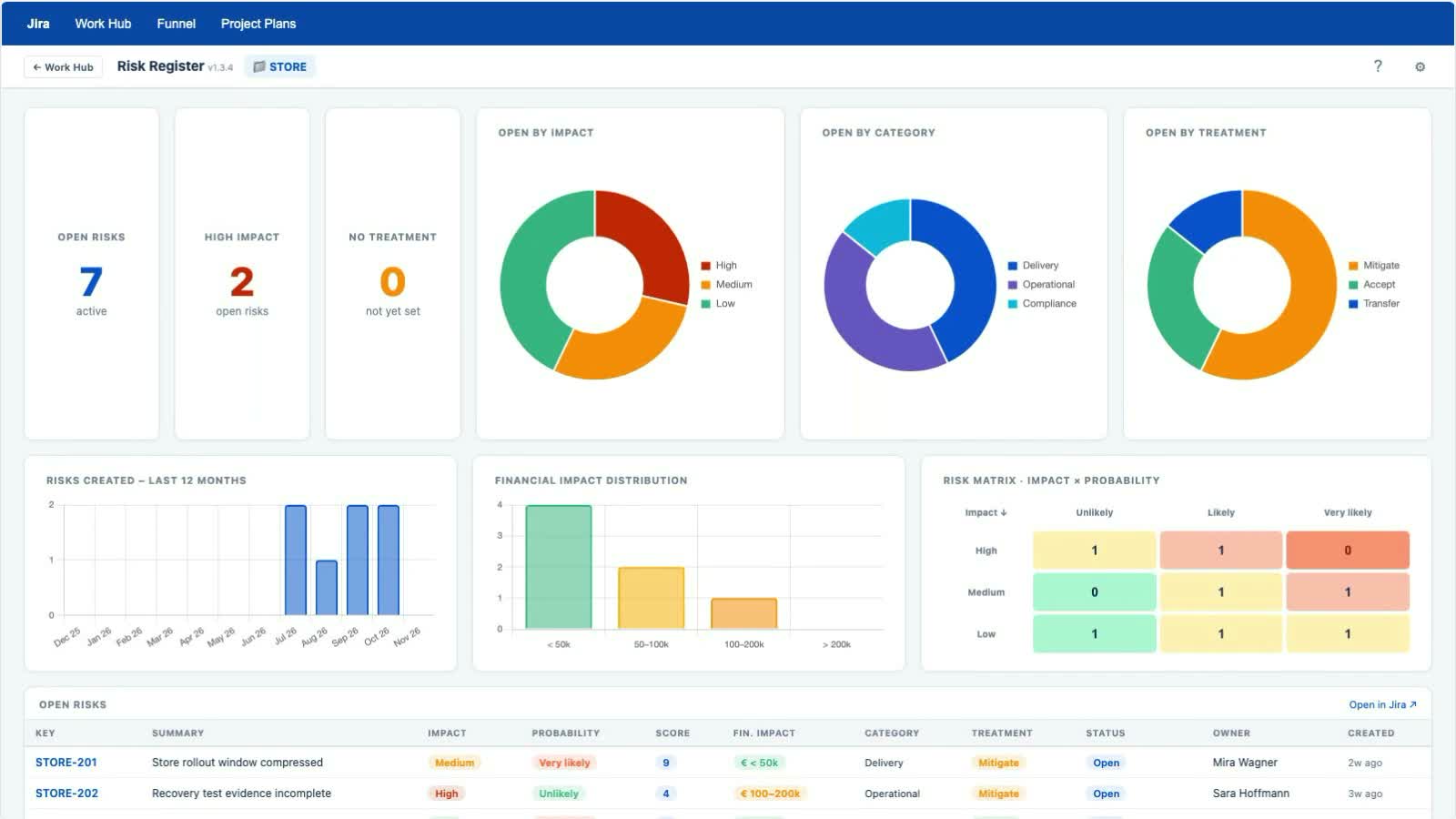
Risk Overview adds a role-based perspective. Configure project scopes and financial limits, then identify risks that need a closer review.
Review financial risk bands across projects visible to your Jira account.
The Data Center module highlights risks that exceed a configured role’s financial limit.
Track work against Jira issues and create worklogs. In the browser edition, a daily activity summary also brings your own ticket changes and comments into view.
2 comments · Status changed to In progress
09:10 · Status changed from Open to In progress
10:35 · Added a review comment
14:20 · Added a follow-up comment
Tracking and booking workflows differ by edition. Cloud supports manual Jira worklog creation.
The Comment permission checker warns when someone you mention cannot read a restricted Jira comment.
In the browser add-on, see the affected people and the comment restriction. Keep the restriction or switch to All Users before the comment is posted.
If verification fails, the documented checker stops the comment from being posted.
Optionally enable automatic visibility correction and prepare new comments with a greeting and signature.
Cloud uses an issue-panel assistant and post-save mention handling; it cannot intercept every native Jira submission.
Comment visibility and issue access are separate. Making a comment visible to All Users does not grant access to a restricted Jira issue.
Explore the Comment permission checkerBring contextual label help into Jira. The Cloud edition presents the full controls in a Work Hub issue panel.
Prepare comments in the Cloud issue panel. Contextual hints and visibility handling respect the limits of Jira’s native screens.
Explore everyday assistanceKeep the choices that make a workspace yours. Storage and synchronization depend on your edition.
Work with the issues and projects your Jira account can access. Work Hub does not grant extra Jira access.
Share supported app configurations and plans with your team. In Data Center, export plans as CSV, PNG or PowerPoint for the next meeting.
Choose people, groups or project audiences, assign view and edit roles, and review activity history.
The browser edition keeps plans local. Team-sharing controls are available through the Jira apps, with different mechanisms in each edition.
Find the Work Hub edition that fits how your team works.
Compare editions