Firefox
Work Hub is available as a Firefox browser extension.
Work Hub in Firefox, Safari and Chrome.
A more personal Jira workspace.
Your workspace in Jira
Illustrative menu · Based on the documented add-on
Open Work Hub from the browser toolbar. Its navigation can also sit alongside Jira's existing menu.
The add-on bundles its modules locally. It does not require the Work Hub server plugin or the former localhost file server.
Bring the Work Hub dashboard, KPI dashboard, Project Plans, Funnel, SLA, Risk Dashboard, Risk Overview, label suggestions and Comment Checker into your Jira workflow.
See the feature catalogueThe Time Tracker can show your own ticket changes and comments for a selected day, with a concise summary and expandable details.
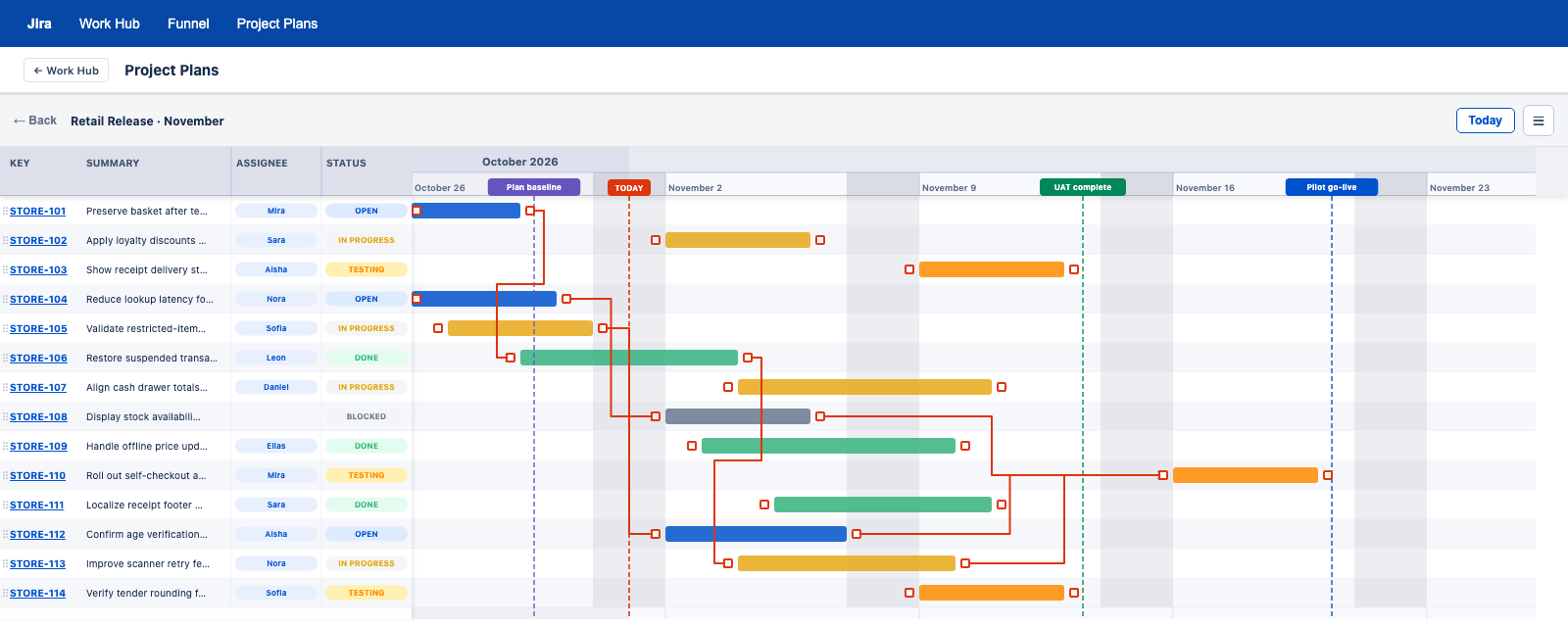
Tool settings and plans stay in the current browser profile. The browser-only edition has no team-sharing controls.
Requests use the signed-in user's Jira session and existing issue and project permissions.
The documented manifest permits specific Jira domains. A different Jira address needs a matching configuration before use.
Comment Checker warns when mentioned people cannot read a restricted comment. Review visibility before posting, with optional automatic correction and comment templates.
Work Hub is available as a Firefox browser extension.
Work Hub is available as a Safari browser extension, with a Safari-specific package and setup.
Work Hub is available as a Chrome browser extension. The documented Chromium setup also includes Microsoft Edge.
The documented Chrome and Edge package installs as an unpacked extension.
Chrome installation is recorded in the development history. Edge installation is documented. A current download package and store listing are not provided on this website.
Compare with the Jira appsFind the Work Hub edition that fits how your team works.
Compare editions