Follow the links.
Trace dependencies between tasks and understand how one piece of work connects to the next.
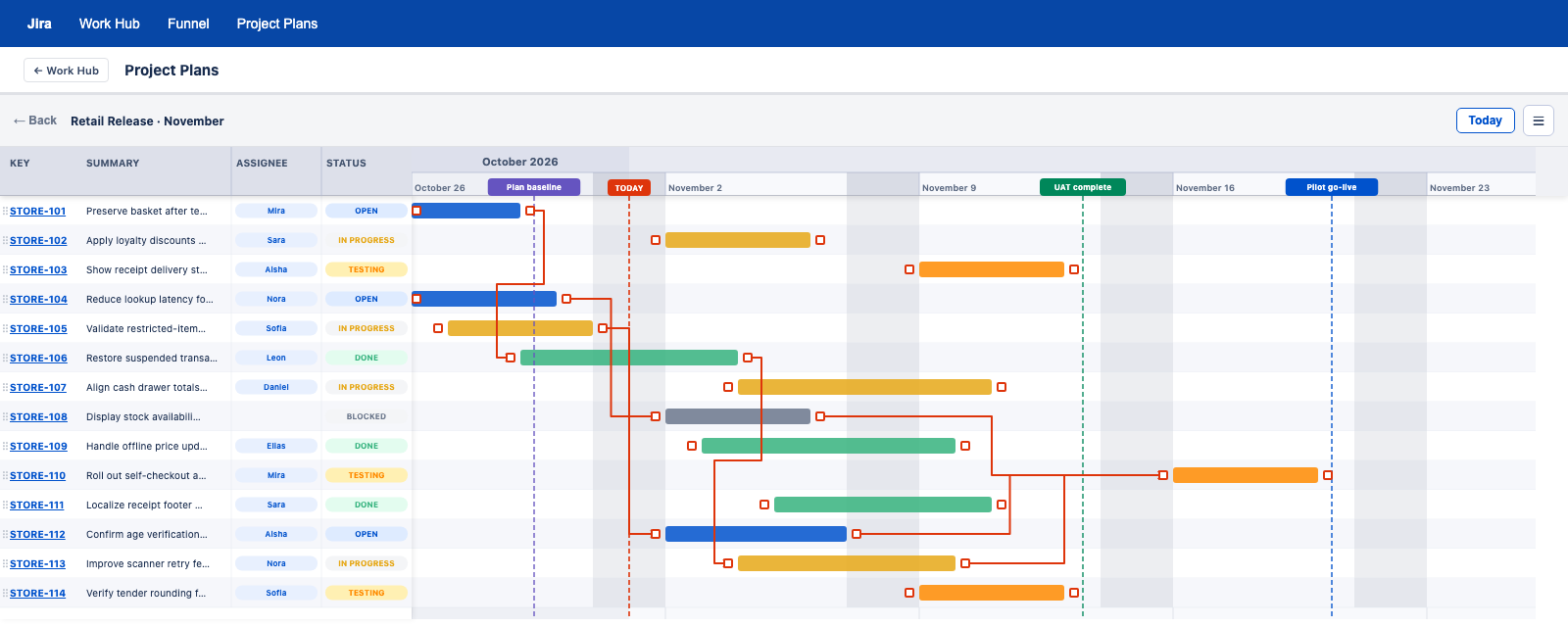
Every task has a context.
Now you can see it.
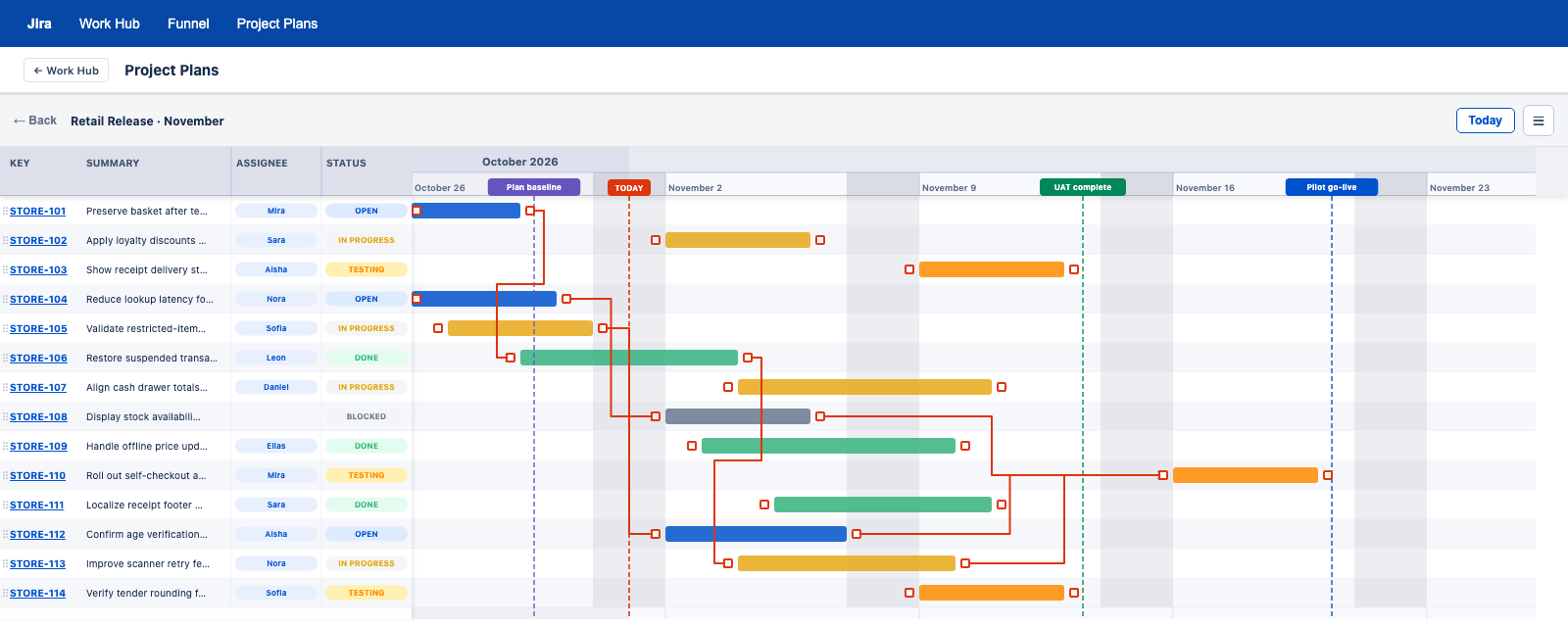
See tasks, dates and ownership together.
Choose a view to explore the sample release plan.
A release connects many tickets. See the sequence, the relationships and the dates in one view.
Trace dependencies between tasks and understand how one piece of work connects to the next.
Keep key dates and milestones visible as the surrounding work takes shape.
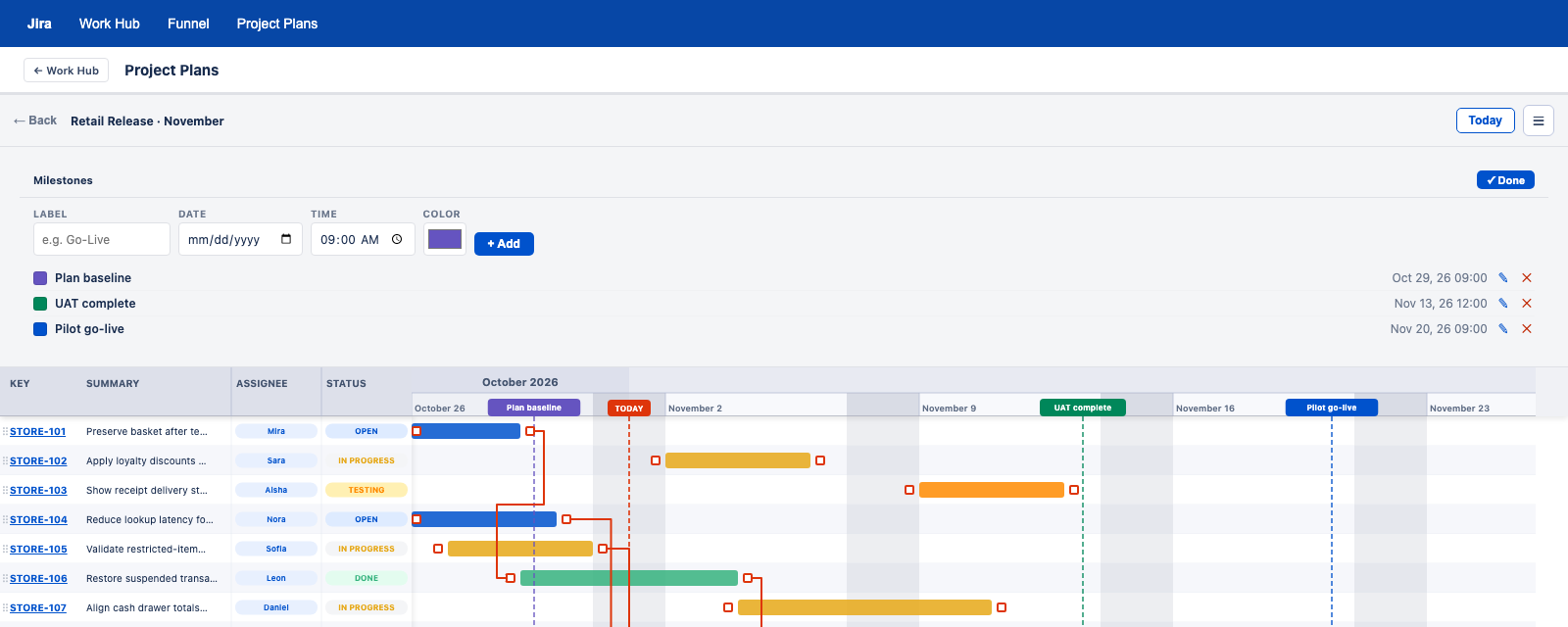
Use project and JQL choices to focus the plan on the work you need to see.
The Cloud planning implementation includes drag and resize date updates, editable-field checks and dependency-aware weekday scheduling.
Cloud plan sharing supports people, groups and project audiences with view and edit roles. The browser edition keeps personal plans local.
Saved JQL, multiple plans, configurable date fields, groups, phases and local planning items. Data Center also includes plan folders and combined plans.
Cloud includes multi-select quick filters, drag and resize date changes, editable-field checks and dependency-aware weekday scheduling.
Data Center supports plan-data import and export, plus CSV, PNG and PowerPoint outputs.
Data Center, Cloud and browser editions connect to Jira in different ways. Choose based on your environment and sharing needs.
Find the Work Hub edition that fits how your team works.
Compare editions